5+
Average tools used to run one freelance workflow
PIXEEL reimagines how photographers and independent creatives manage bookings, clients, schedules, payments, and delivery without juggling five disconnected tools.
01
Independent creatives often build strong reputations and steady demand, but many lose momentum when operations become too fragmented. New inquiries arrive through Instagram, text, email, and referrals. Availability lives in separate calendars. Contracts are created manually. Invoices require repeated follow up.
The issue was not lack of demand. It was operational friction that made growth difficult to sustain.
02
The creator economy continues to expand, yet many independent professionals still rely on workflows stitched together from generic software that was never designed for service based businesses.
Photographers, videographers, designers, stylists, and consultants all face the same friction.
This created an opportunity to design a product focused not on content creation, but on the business behind creative work.
5+
Average tools used to run one freelance workflow
8 hrs
Weekly admin time lost to repetitive tasks
2x slower
Lead response time with manual workflows
High churn
When booking feels complicated
03
18
Interviews
Across 4 photography specialties
6.3
Tools used
On average per photographer
~12
Hours lost / week
From context switching and manual work
78%
On mobile
Of lead responses happen on phone
"I'm literally switching between four apps during a client call. It's embarrassing."
"I lose deals because my booking flow takes too long. Couples book someone else while I'm sending emails."
"My clients expect a premium experience but my tools look like 2010 tax software."
"I spend more time on admin than shooting. That's not why I became a photographer."
#1 Pain Point: Fragmentation
Photographers juggle 6.3 different tools on average, losing ~12 hours each week to context switching.
Mobile is where work happens
78% of lead responses happen on phone. Current tools are desktop-centric.
Brand perception matters
They reject tools that "look like business software" even if functional.
Lead -> client journey
Lead arrives
Pain
Checking 3 different inboxes
Opportunity
Single unified inbox
First response
Pain
Copy/paste from templates
Opportunity
Smart quick replies
Scheduling call
Pain
Calendar back-and-forth
Opportunity
Instant availability link
Send proposal
Pain
Manual PDF creation
Opportunity
Dynamic branded proposal
Contract signing
Pain
Print, sign, scan workflow
Opportunity
Mobile e-signature
Collect deposit
Pain
Separate payment platform
Opportunity
In-app payment flow
Photographers need one place to run their business.
Mobile-first
Built for work on the go.
All-in-one
Everything they need, in one seamless flow.
Feels premium
A client experience that reflects their brand.
04
The obvious direction was another creative tool focused on editing or portfolio presentation. That would not solve the real problem.
Instead, PIXEEL was positioned as the operating system behind creative businesses. Rather than helping users create more work, it helps them manage the work they already have faster, cleaner, and with less friction.
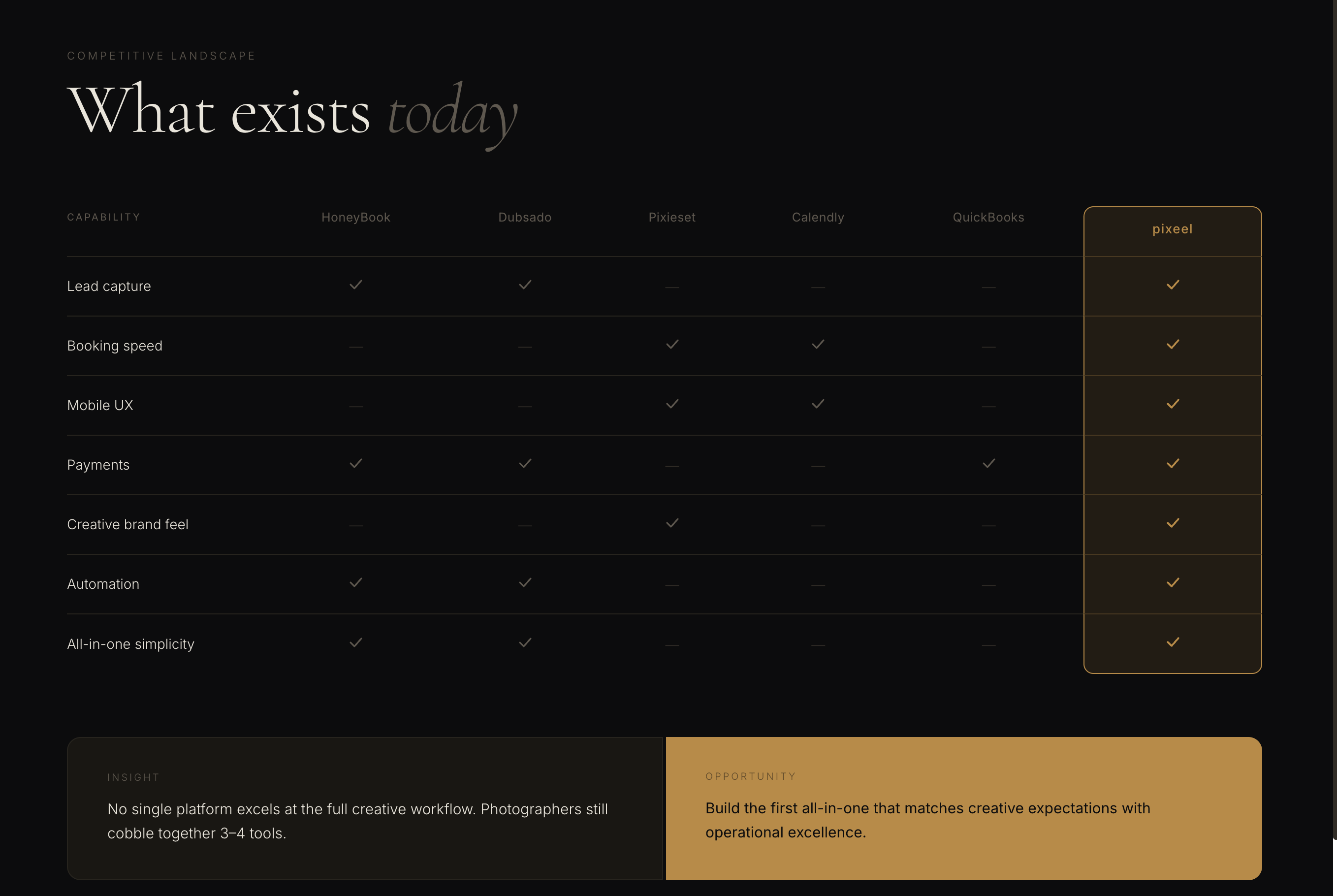
No single existing platform covered the full creative workflow. Photographers were still stitching together three to four disconnected tools to run one business.
05
I prioritized the highest frequency and highest pain workflows first. Early users cared more about speed, bookings, and payments than customization.
Included in MVP
Included in MVP
Included in MVP
Included in MVP
Deferred intentionally
Deferred intentionally
Deferred intentionally
Deferred intentionally
06
Users should be able to accept a lead, confirm availability, and send a booking link in minutes, not spend hours configuring software.
Many creatives run their business from phones while on location. Core actions were designed mobile first.
Most users care more about getting paid than customizing fonts or themes. Core workflows came first.
Follow ups, reminders, and proposals should save time while still feeling personal.
Calendar, payments, contracts, client history, and delivery all live in one connected system.
07
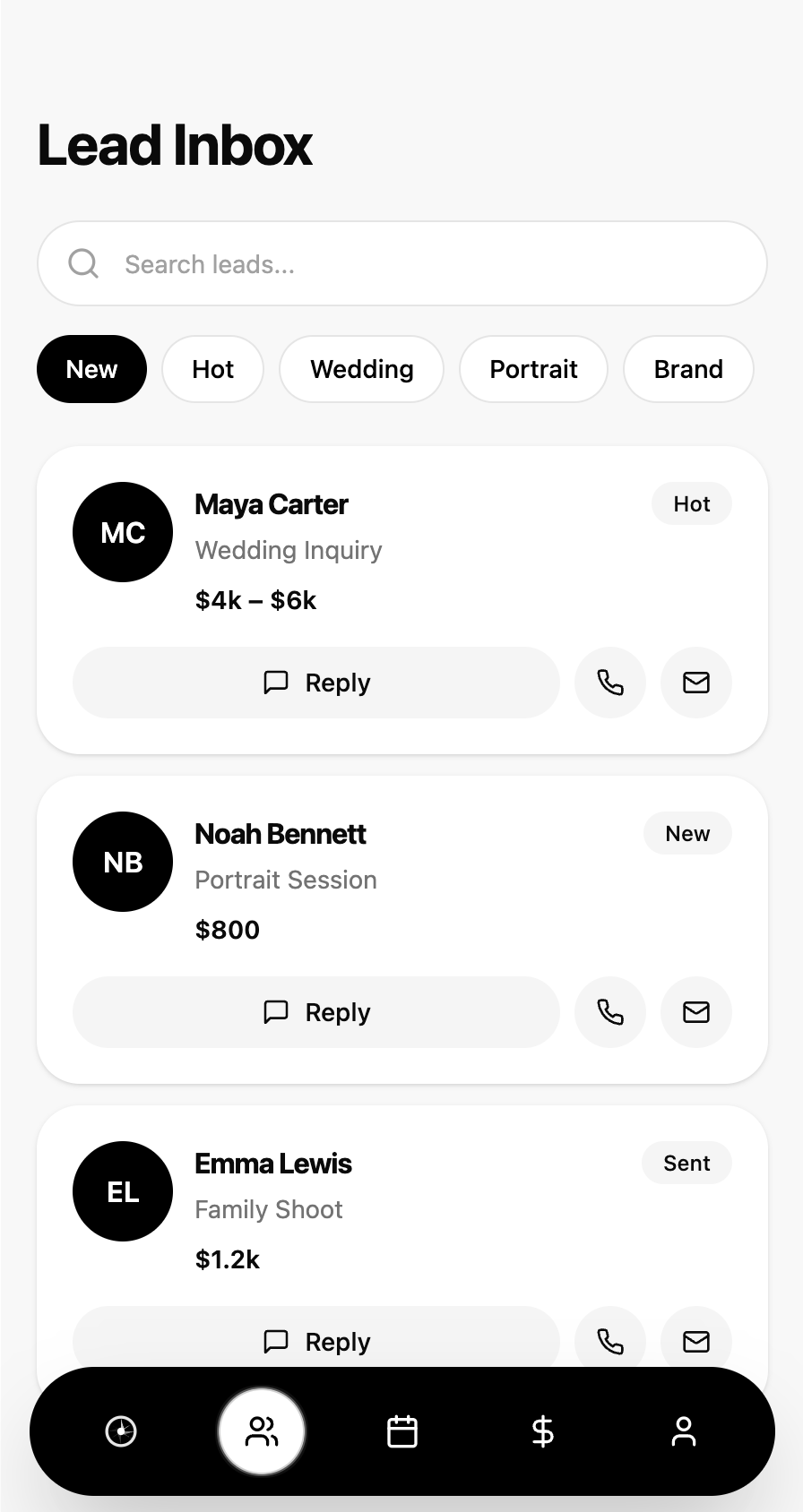
New inquiries are captured from forms, social links, or referrals and converted into organized opportunities. A single unified inbox transforms scattered communication into actionable leads.
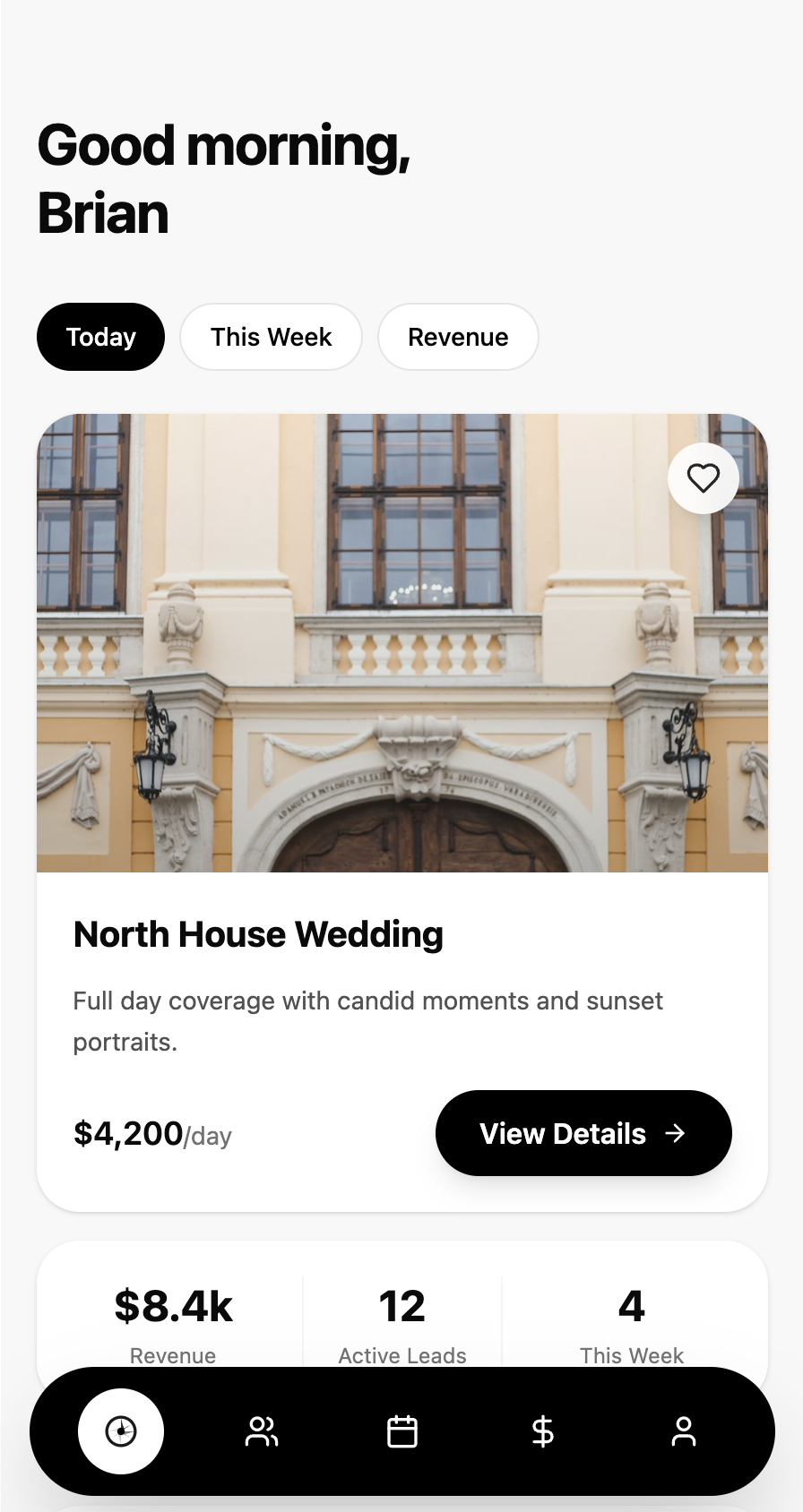
Every active booking surfaces at a glance. Upcoming shoots, day-of details, and client context are all visible from the home screen so photographers arrive prepared without digging through emails or notes.
Bookings automatically sync to a visual schedule with travel buffers, reminders, and conflict prevention. Double bookings become impossible, and travel time is automatically blocked out between shoots.
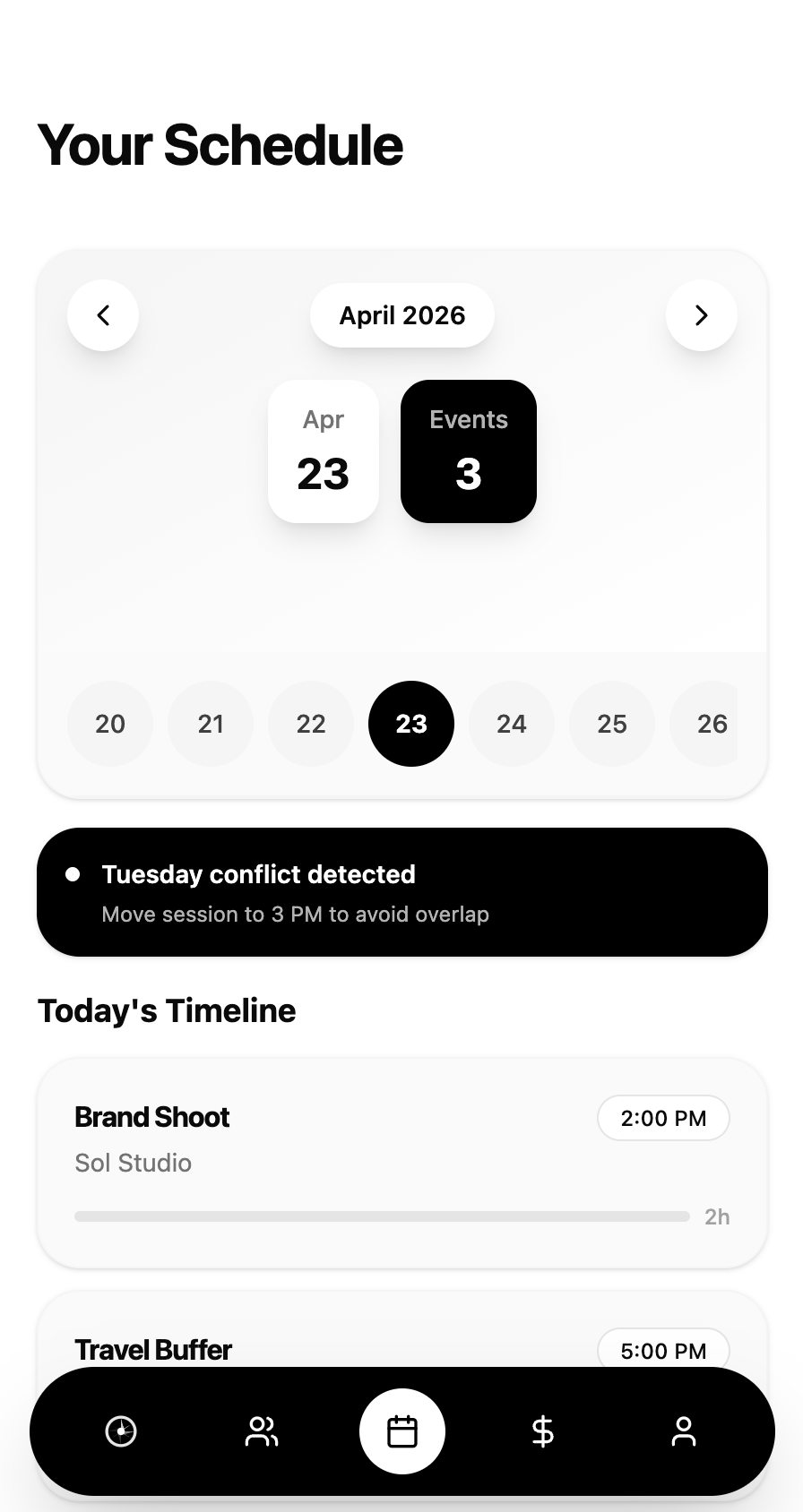
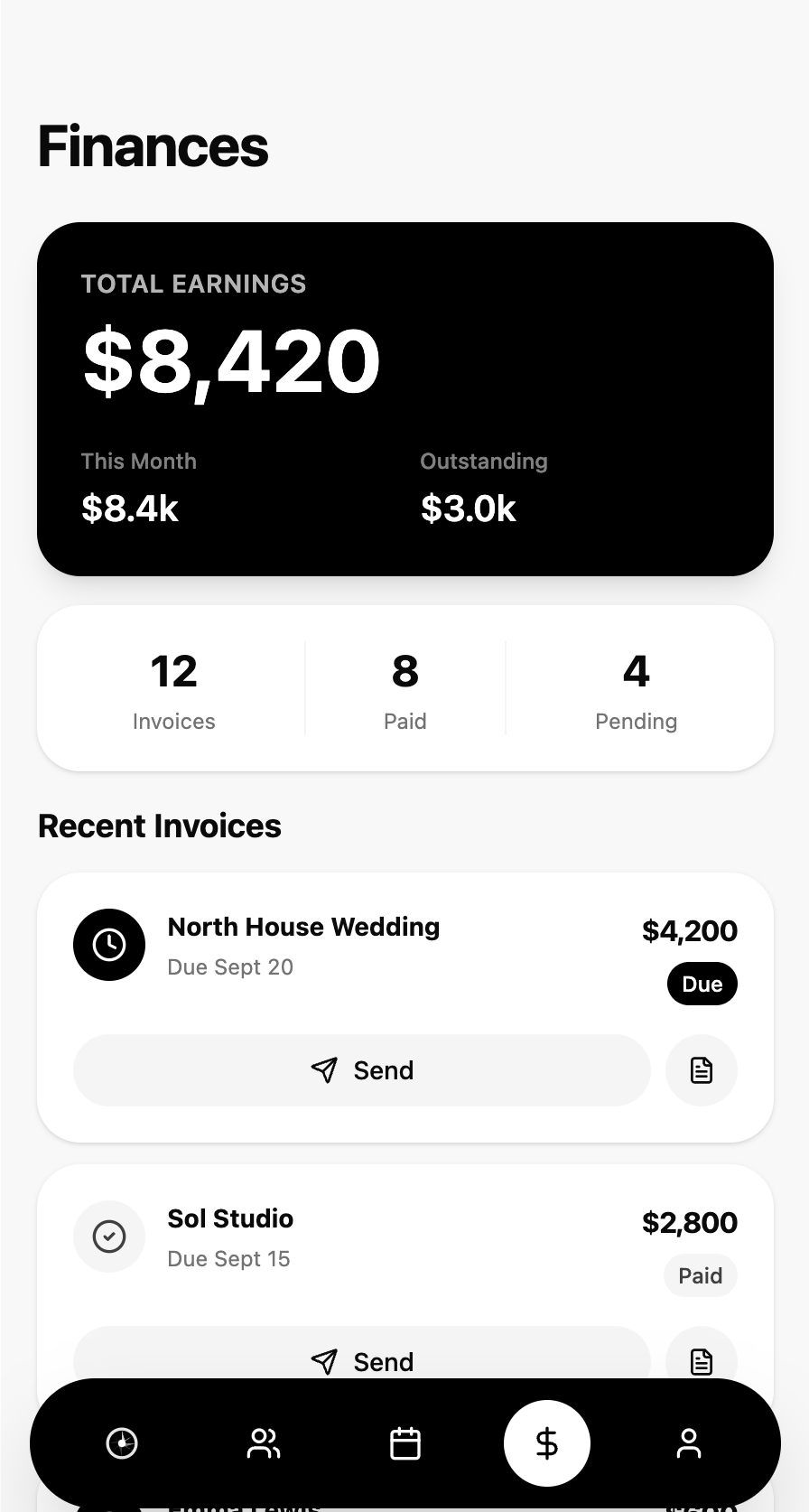
Invoices, deposits, payment plans, and agreements are handled inside the platform. Contracts are pre-filled, deposits can be collected upfront, and payment reminders are automatic, eliminating the chaos of chasing payments after work is complete.
08
AI was intentionally positioned as background leverage rather than a chatbot. Users wanted help reducing admin work, not another tool to manage.
Turns long client messages into clear booking requests.
Recommends package options based on request type.
Flags leads that are likely to go cold.
Suggests better openings and planning opportunities.
Remembers preferences, past sessions, and repeat patterns.
09
AI is not always right. These three scenarios came directly from usability testing and shaped the core of the error handling system. The design principle was simple: never let a failed AI action become a failed user action.
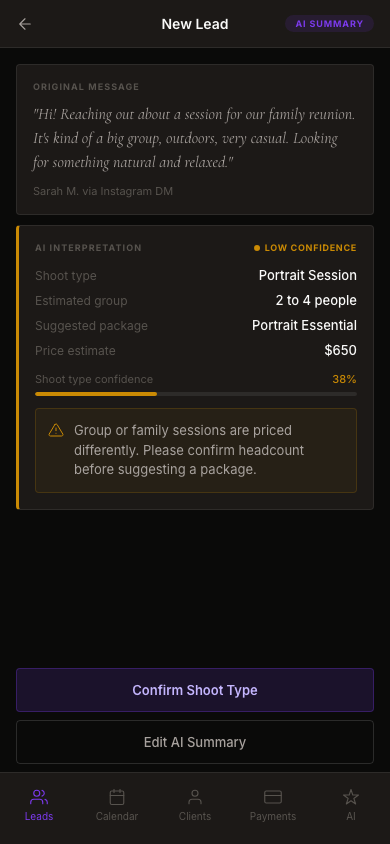
Low confidence states surface when AI detects ambiguity. The system shows what it interpreted and why, then asks for confirmation rather than acting on uncertain data.
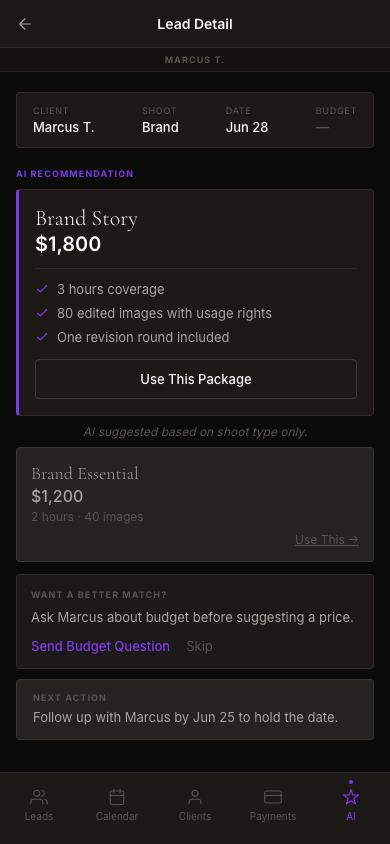
When budget is missing, AI defaults to a type-based suggestion but flags the gap explicitly. The nudge card gives the photographer a path to resolve the uncertainty before it becomes a mismatch.
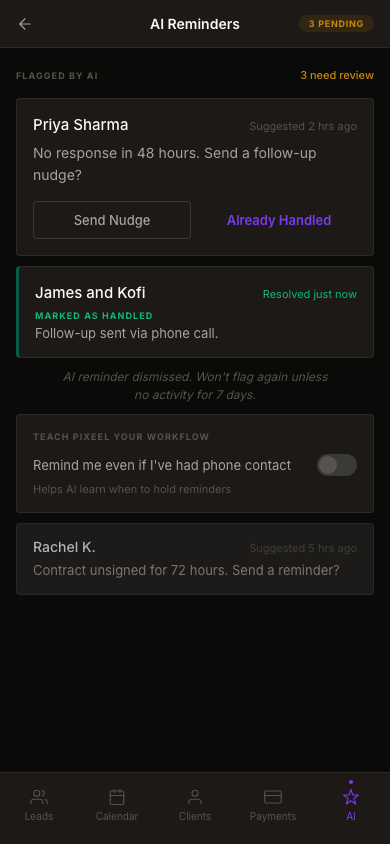
AI reminders can become stale when photographers handle leads offline. The system learns from dismissals and surfaces a preference toggle to reduce future false positives.
10
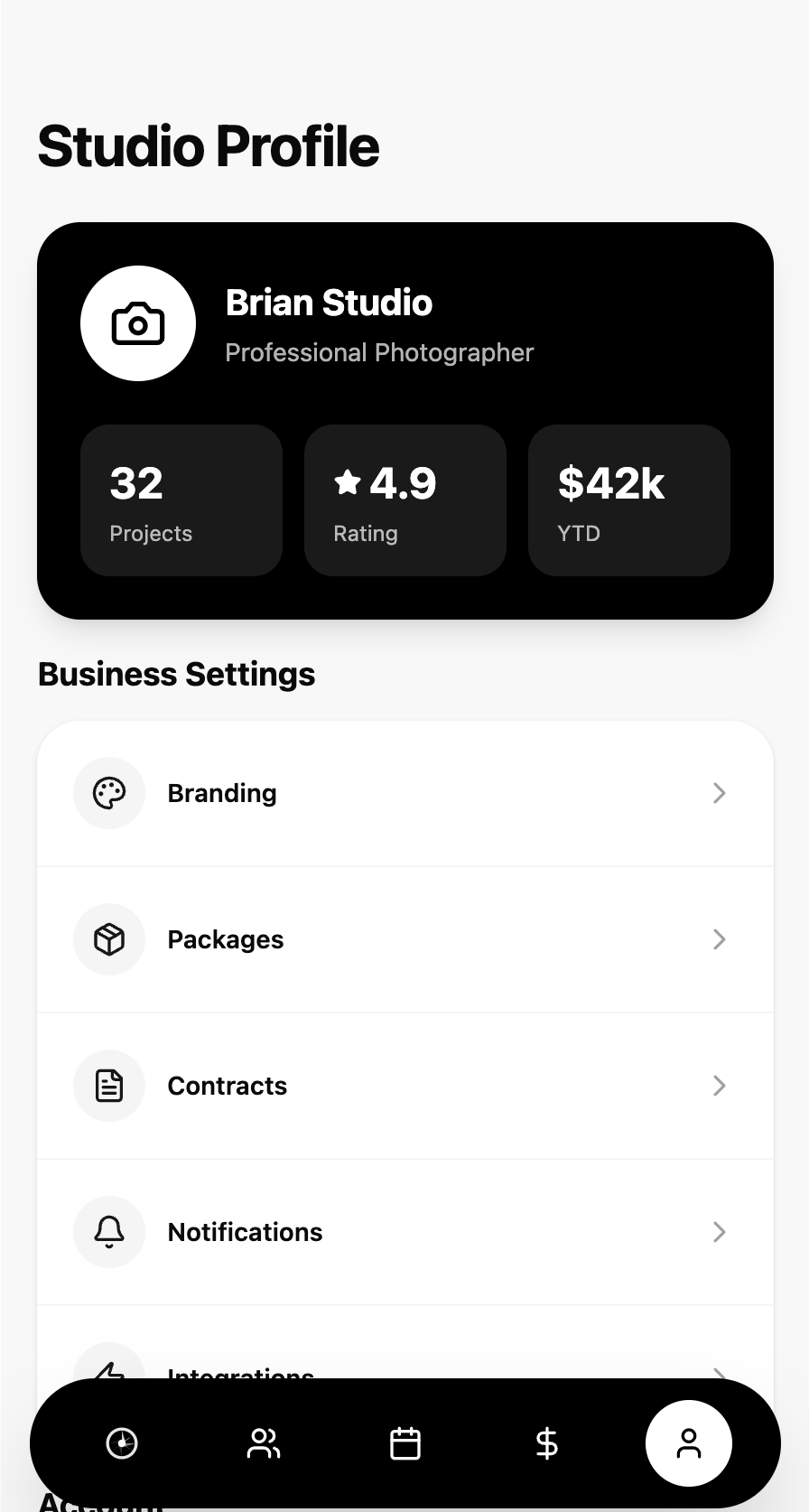
The interface system prioritized speed, clarity, and trust. Reusable components enabled consistency across mobile and desktop experiences.
11
Pixeel launched on the App Store in August 2025 as a bootstrapped product with no paid acquisition. Outcomes measured through App Store Connect analytics and in-app activation tracking across the first 60 days post-launch.
430
App Store downloads in first 60 days
95
Users completed full onboarding flow
35
35 photographers actively managing clients, bookings, and shoots within 60 days of launch
120
Early-access signups on waitlist pre-launch
12
Users often do not need more features. They need fewer broken workflows.
The strongest product opportunities are often hidden inside repetitive operational pain.
PIXEEL reinforced that products become sticky when they remove invisible stress and help users make money faster.
13
The platform is built to evolve. The MVP proved the core loop. The next phase focuses on scale, intelligence, and ecosystem.
Phase 2
Studio accounts
Team bookings with role-based access and shared calendars for small studios.
Phase 2
CRM pipeline
Visual sales pipeline for managing leads across multiple stages and follow-up states.
Phase 3
Accounting integrations
Direct sync with QuickBooks, Wave, and Stripe to eliminate manual reconciliation.
Phase 3
Referral growth loops
Turn satisfied clients into a built-in acquisition channel with incentive-based referrals.
Phase 4
AI marketing assistance
Draft proposals and client outreach that sounds like the photographer, not a template.
Phase 4
White label portals
Branded client experience with custom domain, logo, and color palette.